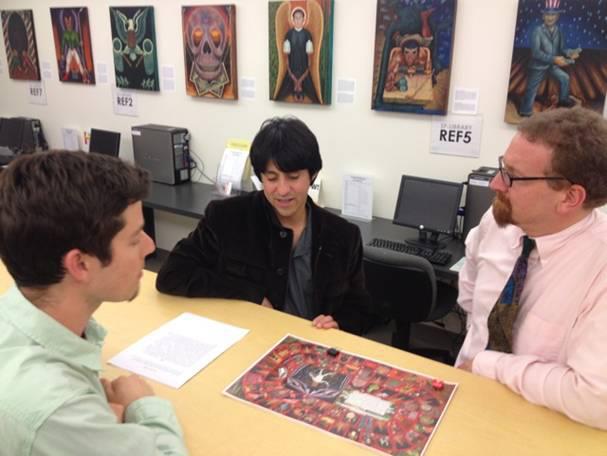
Click the image to see what we’ve been up to!
Alliant Library Annual Report 2011
December 12, 2011Interlibrary Loan and Radical Simplicity
November 23, 2011Now here is something to be thankful for! (bet you haven’t heard that recently, huh?)
Library staff are delighted to announce a new feature in the databases which will make submitting an interlibrary loan (ILL) request much simpler and much faster. Anyone who has submitted a request knows that the least pleasant part is having to manually type the citation information into the request form. Well, get ready to look for a new pet peeve, because now there’s a better way. Library staff have configured LinkSource to automatically bring the citation fields from the database into the request form, saving you all of that typing. Checkout the brief (4 slides) presentation below:
This may seem like a small tweak, but we’re hoping that in the long run it will save students a great deal of time and frustration. Be sure to email library@alliant.edu if you have questions or comments about this or any other Alliant library service.
How Do I Get Mendeley to Use APA 6th Edition?
July 21, 2011A number of people have noticed that the “out-of-the-box” installation of Mendeley differs slightly from APA6 in the way it formats bibliographies. Bibliographies are single spaced instead of double spaced, and a period is incorrectly inserted after the DOI.
To fix this, you first download the latest Citation Style Language (csl) file for APA6 from here: http://www.zotero.org/styles (Mendeley uses csl files the same way Zotero does, so the file works in both applications).
Next, put the file in the following directory: C:\Program Files\Mendeley Desktop\citationStyles-1.0. If the computer asks you if you want to replace the existing file, say “yes.” Start up Mendeley, choose View|Citation Style and select APA 6th edition.
Finally, to fix the double space issue, click once anywhere on the list of references to highlight the entire list. Then find Word’s menu for “Line and Paragraph Spacing” and change it from 1.0 to 2.0.
If you have trouble with this, contact library@alliant.edu
Got an idea? Have another! Your head has plenty of room.
May 27, 2011Lifehacker has a great quote today which librarians the world over will find inspiring. Or apocalyptic. Permit me to explain.
The idea from Francis Crick is simple: ”The dangerous man is the one who has only one idea, because then he’ll fight and die for it.” In other words, the world is an ambiguous place in a constant state of flux. If you choose to see things from only one angle, or to believe that things can only function one particular way, you will more than likely find that at some point reality does not conform to your wishes.
Fair enough, you say, but what does that have to do with libraries and the people who work in them? A few quotes may be illustrative:
- “Why are you giving that patron money? You’re making change for a patron?! But we don’t do that, we’re librarians!”
- “I’m sorry, Professor, but that is a reference book. We can’t let you take it out of the building to make copies in your office. Would you like to fill out this form so we can set up our copier to work with your departmental code? It only takes three business days to process and then you’ll be all set.”
- “Everyone has to fill out this form once a year otherwise they shouldn’t be able to check out books. Yes I know they have registered and paid for their classes, but this form isn’t going to fill itself out, you know.”
- “I don’t see what Dr. Smith is so upset about; I received her request for materials and I will deliver them to her the day before her class needs them. What? No, I didn’t inform her that they will be ready then, why would I need to do that?”
New feature available: SMS alerts
April 5, 2011Alliant Library is pleased to announce that patrons now have the option to sign up for SMS message alerts. Doing this means that as soon as an item you have requested is checked in at your home library, you will receive a text message notifying you to go get it.
Because receiving text messages can cost money, depending on what kind of mobile plan you have, this library service is not enabled by default. If you would like to enable it on your account, you must opt in to the service by following the steps outlined in this brief screencast:
[Note: the video mentions logging in with your Alliant "student ID." Faculty and staff would use their employee ID instead.]
Apple iPad Event at San Diego campus
December 24, 2010Dr. Glenn Lipson of CSFS has been kind enough to arrange a visit to the San Diego campus by Apple representatives, who will be discussing current uses of the iPad in higher education. The presentation will be on January 26 from 1:00 to 2:30 in M-7. Apple will be bringing along 25 iPads so that attendees may try out some of the applications being discussed.
If you are interested in attending what promises to be an entertaining 90 minutes, please register as soon as possible. Attendance will be limited to 25, so the slots will fill up quickly.
If you have any questions, please contact library@alliant.edu.
Apple Event at Alliant [PDF]
New Databases
December 2, 2010After many requests we have now added access to one of JSTOR’s Arts & Sciences collections (collection IV, for those of you keeping score at home).
Other recent additions to our online resources include the PEPWeb Archives from Psychoanalytic Electronic Publishing, and Symptom Media’s online videos illustrating DSM disorders.
If there are other databases you’d like us to adopt, send your recommendations to library@alliant.edu.
Mango Languages now available through the library
November 23, 2010Yesterday Provost Russ Newman made an exciting announcement about the availability of the Mango language learning platform through Alliant library:
Colleagues,
Over the last several months, a subcommittee of the Provost’s Council has conducted a review of possible language learning products that could be made available in a very economical fashion to students, faculty and staff. I am happy to announce that the Mango learning platform has been selected and is ready for use by our University community. I would especially like to thank the subcommittee (chaired by Scott Zimmer and comprised of Kumea Shorter-Gooden, Eduardo Morales, Sheila Henderson, Sharon Foster, Mary Ellen Butler-Pascoe, Ken Kelch, Tom Moore, Madeleine Weiner and Mehdi Rajabzadeh) for its great work!
Mango is an online language learning resource that enables the acquisition of basic proficiency in any one of 22 languages currently being offered (and the list of offerings is likely to expand in the future). There are also 15 options available for speakers of other languages to enhance their English language skills. The Mango product was pilot tested during the month of September and received uniformly positive feedback. Most notably, users described the product as user friendly, felt it contributed to the University’s international-multicultural environment and was preferred over other language products by those who had utilized more than one.
The adoption of Mango is a timely and exciting opportunity for us to further develop the avenues available to help us achieve our mission of providing high quality professional practice training in an international and multicultural context. Also, it is my hope that the ready availability of language learning options will propel more of our students to take advantage of the international immersion experiences available through the University.
To create an account and begin using this resource, simply click “Mango” on the library’s list of databases, or follow this direct link. Feel free to contact our system-wide librarian, Scott Zimmer, should you have any questions bout accessing Mango. Also, to learn about other language-related activities on your campus, contact your campus I-MERIT chair or Dr. Kumea Shorter-Gooden. If any faculty member is interested in learning more about ways to utilize Mango as a part of course instruction, contact Drs. Ken Kelch, Eduardo Morales or Kumea Shorter-Gooden.
Russ Newman, PhD, JD
Provost and Vice President for Academic Affairs
Alliant International University
The library is delighted to provide access to this resource, and to be a part of the planning for the Mango-related activities which will be happening over the next few months. Stay tuned!
Backup and Organize Your Dissertation Research for Free Using Mendeley and Dropbox
November 3, 2010.
2. Install Dropbox by downloading it from http://www.dropbox.com. Once you have it installed, you have to tell it what folder you want it to watch; in the example above that would be the Dissertations folder. This is done by rightclicking the Dropbox icon and choosing Preferences:
Under “Dropbox Folder Location” click the Move button and then navigate to the Dissertation folder you created. Then click OK to set this as the folder Dropbox will back up. We are now done with Dropbox; it will run automatically every time your computer starts up, and it will create a copy on the Internet of everything you put into its folder. You’ll be able to log in to the Dropbox website anytime, from any computer, and have access to the documents in the Dissertations folder – even if the computer you originally installed Dropbox on is lost, stolen, or spontaneously explodes.
3. Get Mendeley. Go to http://www.mendeley.com and sign up for a free online account. Then download the desktop application appropriate for your preferred operating system. After downloading the desktop application, install it and then hit the button that says Sync Library. You will be prompted to provide the username and password for the Mendeley online account you created earlier; enter it. Now, every time you add documents to the Mendeley library on your computer, when you hit Sync Library a copy of those documents and their citations will be stored in your online account as well. We’re now ready for the last step: making sure that Mendeley stores all of its stuff in the same folder that Dropbox is automatically backing up. This will ensure that all of your dissertation work is a.) stored and organized on your computer, b.) backed up on Mendeley, and c.) backed up *again* on Dropbox.
4. In the Mendeley desktop application, choose Tools | Options and then select the tab called File Organizer. Check the box that says Organize My Files, and beneath that where it says “Copy my files to:” click Browse and specify the Dissertation folder you created in step 1.

That’s it. From now on just remember to use the Dissertation folder (or whatever you named it) to store all of the articles you find during your research, and the documents you create as you write your dissertation. Be sure to also sync the Mendeley library each time you add content to it. Mendeley gives you 500 MB free storage, with the option to purchase or earn more, and the free version of Dropbox allows you a whopping 2 GB.
Feel free to contact library@alliant.edu with questions about this process.
No good deed…
October 27, 2010Today is the last day of the Internet Librarian conference, and as usual it has been an extremely engaging, informative gathering. It is truly a privilege to be able to absorb the experiences of such a diverse group of information professionals; the challenging part is to retain at least some of that data and bring it back to inform our practices at Alliant.
One of my favorite discussions was at a session on engaging patrons through social media such as Twitter and Facebook; the speaker spent a good deal of time talking about internal resistance to social media; that is, staff members who “just don’t get it” for one reason or another. Generally their lack of understanding is attributable to the newness of the medium — they just don’t know what a tweet is for, or how it works — but in some cases it has a more dysfunctional origin: some will oppose The New on principle.
To illustrate the point, the speaker used an example shared with her by an academic library proponent of social media. This librarian had been experimenting with social media for some time on a small, informal scale, trying to start conversations and build a sense of community among the institution’s library users — a laudable goal, and one which had strong support from most of her colleagues. Oddly, though, one staff member (another librarian, no less) somehow viewed this activity of hers as not just a waste of time, but as inappropriate workplace behavior. The Critic, as the person was referred to, would actually spend work time meticulously tracking the social media librarian’s tweets and Facebook posts, looking for missteps, and even brought printouts of these to staff meetings, pointing to them and making observations such as, “I don’t know what *this* has to do with libraries!”
Of course, this story drew gales of laughter from the Internet Librarian attendees, most of whom are familiar with this type of “librarian’s librarian.” But there was a more serious note to the tale, and the audience appreciated the way innovative staff have to work twice as hard as the more traditionally-minded. First they have to stay engaged, have great ideas and be willing to try them out and possibly see them fail; but they also have to fight against small-minded pettiness from their co-workers, the people one would think should be supporting their efforts. The dedication it takes to do this is profound, and represents our profession at its best.

Posted by alliantlibrary